
Home / Blog / Bookings & payments
Payment apps at the hunting camp
Venmo for Business: What Outfitters and Charter Captains Should Know
Personal accounts versus business profiles, what Venmo actually charges, how disputes and taxes work, where Zelle fits, and why card deposits still matter for guided hunts and charters.
Venmo for business sounds simple: hunters already have the app, the money shows up fast, and nobody has to find a checkbook at camp. For a lot of small outfits and charter boats, payment apps quietly became the default way balances and add-ons get paid.
The details matter more than the convenience. A personal account used for business breaks Venmo's own rules, a payment sent by Zelle cannot be pulled back, and tax reporting follows the money whether a form arrives or not. Here is how each piece works, verified on Venmo's, Zelle's and the IRS's own pages, and where these apps fit next to card payments.
Short answer
Yes, you can use Venmo for business, but through a business profile, not a personal account. Venmo's user agreement says personal accounts may not be used for business transactions. Business profiles pay a seller fee on each payment received. Many outfitters take card deposits at booking and accept Venmo or Zelle for balances, then record them.
Personal account or business profile: the rule that matters first
Using Venmo for business starts with one distinction, and the most common mistake is the easiest to fix. Plenty of guides take hunt balances into the same personal Venmo account they use to split dinner. Venmo's user agreement is direct about this: personal accounts "may not be used to conduct business, commercial or merchant transactions." Your account is treated as personal unless Venmo has approved otherwise.
What Venmo offers instead is a business profile, which is what people usually mean by venmo for business. The agreement describes it as a single business profile that an individual with an account in good standing may be able to create alongside the personal account, at Venmo's discretion. Payments to the business profile are separated from your personal activity, the profile shows your business name to the hunter, and the money flows through a seller fee instead of the friends-and-family path.
Why it matters to an outfitter
- Account risk. Using a personal account for commercial payments breaks the terms, and an account restriction in the middle of the season would be a real problem.
- Cleaner books. Hunt money and personal money in one feed is a headache at tax time.
- Clear records for the hunter. A payment to a named business is easier for a client to match to a hunt than a payment to a guide's personal handle.
What Venmo for business costs, from Venmo's own fee page
Venmo publishes business profile pricing on its business profile fees page. As checked today, the page states:
- The seller transaction fee is a standard rate of 1.9% + $0.10 of the payment total for payments from other Venmo accounts.
- Contactless Tap to Pay payments carry a slightly higher rate of 2.29% + $0.10 of the payment total.
- The fee is charged to the merchant, not the customer.
- Customers who pay a business profile with a credit card are not charged Venmo's standard 3% credit card fee for sending money.
- Venmo is not able to refund seller fees on payments sent to your business profile from another Venmo account.
That last point is the one outfitters feel. If a hunter pays a balance by Venmo and you later refund it because a hunt was cancelled for weather, the seller fee on the original payment does not come back. Venmo's user agreement says refunding a transaction carries no fee of its own, but the original fee is a sunk cost.
Rates and terms change, so check the current fee page before you print a payment policy that quotes them. If you want to pass costs to hunters, keep in mind that card surcharge rules are their own topic; see our post on credit card surcharges.

Venmo, Zelle and cards compared
Venmo for business is one option among several, and each method solves a different problem. Here is how they compare for a guided hunt or a charter, based on each provider's own pages:
| Venmo personal account | Venmo business profile | Zelle | Card through Stripe | |
|---|---|---|---|---|
| Allowed for business payments | No, per Venmo's user agreement | Yes | Depends on your bank and account type | Yes |
| Who pays the fee | Not applicable for business use | The business, per Venmo's fee page | Zelle says there are typically no fees for consumers; check your bank | Standard card processing; you decide if you or the hunter covers it |
| Can the payment be reversed by the payer | Varies | Qualifying purchases can be disputed under Venmo's buyer protection | Zelle says payments to an enrolled recipient cannot be canceled | Card disputes go through the card network |
| Works for a deposit at online booking | No | Not built into most booking flows | No | Yes |
| Good for | Personal use only | Balances, add-ons, gear sales at camp | Hunters who know you and prefer bank transfers | Deposits, invoices, split payments, refunds |
Zelle's own FAQ tells users to only send money to people they know and trust, and says that once the recipient is enrolled, the money goes directly to their bank account and cannot be canceled. For the outfitter receiving it, that is a strong point. For a first-time client booking a hunt online with someone they have never met, it is a reason many hunters hesitate.
The comparison also shows why venmo for business rarely replaces cards entirely. It is a convenient way to collect money from people who already trust you, but it was not designed to take a deposit from a stranger at the moment they pick a date on your booking page.
Buyer protection, disputes and what a hunt is
Venmo's Purchase Protection eligibility page says that labeling a payment as goods and services does not mean protection automatically applies, and lists exclusions. The user agreement says certain qualifying payments made to a business profile are eligible, and that a buyer opens a dispute within 180 days of the purchase.
This is the part of venmo for business that guides overlook. From the seller side, the requirements Venmo describes for seller protection in the same agreement are written around a physical, tangible good that can be shipped to the buyer's address. A guided hunt or a charter trip is a service delivered in person, so do not assume the seller-side protections were written with your business in mind. Read the current agreement, and if a large balance is involved, consider whether a card payment with your own documented policies fits better.
What helps in any dispute
- A written cancellation and weather policy the hunter accepted at booking
- A signed waiver and registration showing the hunter participated
- Dated invoices and receipts matching each payment
- Messages and reminders sent before the hunt
The same paperwork matters for card disputes. Our guide on how to prevent chargebacks goes deeper on building that file.
Taxes: the 1099-K and payment apps
The tax side of venmo for business is simpler than the internet makes it sound. The IRS page Understanding your Form 1099-K states, as checked today, that payment apps and online marketplaces must report when the payments you received for goods or services total over $20,000 in more than 200 transactions, and that you may receive a Form 1099-K even below that threshold.
The more important sentence on the same page: "Whether or not you receive a Form 1099-K, you must still report any income on your tax return." A hunt balance paid by Venmo is business income whether or not a form ever arrives. The IRS also says money from friends and family as a gift or repayment of a personal expense should not be on a 1099-K and is not taxable income, and asks you to mark those payments as non-business in the app when possible.
Practical steps
- Keep business payments on the business profile and personal payments on the personal account.
- Match every app payment to a hunt and a hunter in your own records.
- Give your CPA a report that ties deposits to bookings, not just an app export.
This is general information, not tax advice. Thresholds and rules have changed several times in recent years, so confirm your situation with a CPA.
Sales tax and other questions
Some states tax certain parts of a hunt package, such as lodging, meals or merchandise sold at camp, and the payment method does not change that. If you sell hats, calls or processing through the same business profile, ask your CPA how those sales should be handled in your state. The app only moves money; it does not decide what is taxable.

Where payment apps fit in a guided hunt's money flow
A workable pattern for many outfits uses venmo for business at camp and cards everywhere else:
- Deposit at booking by card. The hunter books online, picks dates and party size, and pays a deposit that lands in your own Stripe account. The booking and the money arrive together.
- Balance invoiced before the hunt. An automatic invoice with a pay link goes out on the schedule you set, with reminders if it is overdue.
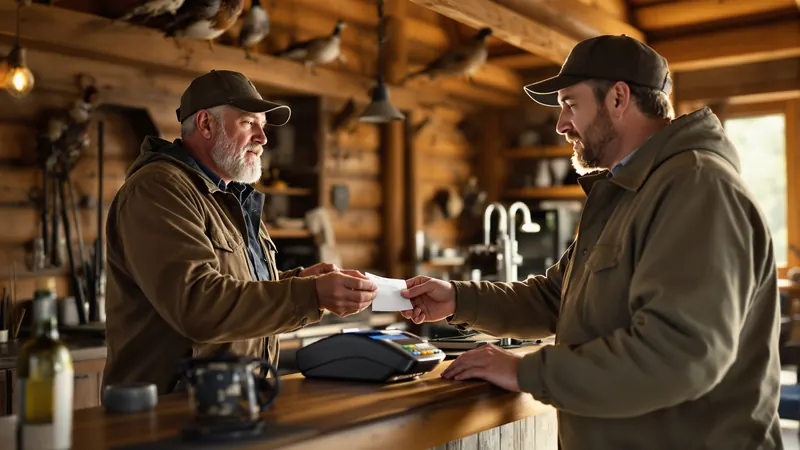
- Payment app or cash for what happens at camp. Extra birds, trophy fees, processing, a second night of lodging, a hat from the gear table. Hunters often prefer to settle these by Venmo or Zelle on the spot.
- Everything recorded in one place. Card, cash, check, Venmo and Zelle all show against the same hunt.
Why card for the deposit? It is the step where a hunter you have never met commits money to a date, often weeks or months out. A card deposit taken inside the booking flow ties the money to the hunt record, the accepted policy and the hunter's registration automatically. A payment app transfer arrives with whatever note the hunter typed.
Deposit amounts and refund terms are a separate decision; see our post on the non refundable deposit for how outfitters word them.
Recording Venmo and Zelle payments so the books match
The real cost of venmo for business is not the fee. It is the hunt balance that someone paid in October, nobody marked, and the guide asks about again at the truck in December. Recording each payment against the right hunt the same day fixes most of that.
In HuntReserve, you record cash, check, Venmo and Zelle payments against a booking, so the balance due updates and automatic balance reminders stop for that hunter. Card payments, refunds and split payments (where each hunter in a party pays their share) run through Stripe on the same record. Bookkeeping syncs to QuickBooks Online, and the reports show expenses and profit and loss by month and by hunt. The money tools are listed on our payments features, and the rest of the platform is on the main features page.
A short routine for the person who handles money
- Check the business profile feed daily during the season.
- Record each payment against the hunt it belongs to, with the app's transaction note.
- If a payment arrives with no clear hunt, message the hunter the same day.
- Close each hunt only when the balance shows zero.
Tips are different
Hunters often tip guides by payment app. Tips sent straight to a guide's own account are between the hunter and the guide, but if tips come through your business profile to be shared out, record them separately from hunt revenue and talk to your CPA about how they are handled.
Guides and staff do not need to see money to run hunts. HuntReserve's access levels let guides see their own hunts while owners and managers see payments, which keeps app balances in fewer hands.
Writing a payment policy that includes venmo for business
Hunters follow the instructions you give them, so if you accept venmo for business, say exactly how and when. Put these points in your booking terms and your confirmation message:
- Accepted methods for each stage: card for deposits; card, Venmo business profile or Zelle for balances; payment app or cash at camp for add-ons.
- Exact handles: the business profile name and the Zelle email or phone, written once, so hunters do not send money to a look-alike account.
- What to write in the note: hunt date and lead hunter's name.
- When the balance is due and that unpaid balances can cost the spot.
- How refunds work for each method under your cancellation policy.
- Who covers card processing, stated plainly.
Watch for look-alike accounts
Payment apps make it easy to send money to the wrong handle, and a hunter who sends a balance to a stranger will still expect a spot in the blind. Put your exact business profile name in writing, ask hunters to confirm the profile photo or logo before sending, and never change payment instructions by text without calling the hunter. If someone claims they paid and you see nothing, check the handle they used before anything else.
Charter captains can use the same structure. Our fishing charter software handles trip deposits, balances and recorded app payments the same way. If you want to see how your outfit's payments would run end to end, get started with a short conversation.
Frequently asked questions
Can you use a personal Venmo account for business?
Venmo's user agreement says personal accounts may not be used to conduct business, commercial or merchant transactions, and that your account is treated as personal unless Venmo approves otherwise. Venmo offers business profiles for this purpose. Using a personal account for hunt payments risks a restricted account and mixes business and personal money.
How much does a Venmo business profile charge?
Venmo's business profile fee page lists a seller transaction fee of 1.9% + $0.10 of the payment total for payments from other Venmo accounts, and 2.29% + $0.10 for Tap to Pay contactless payments. The merchant pays the fee, and Venmo says it cannot refund seller fees. Check the page for current rates before quoting them.
Will Venmo send me a 1099-K?
The IRS says payment apps must report when payments for goods or services total over $20,000 in more than 200 transactions, and that you may get a Form 1099-K below that. Either way, you must report all business income. Personal gifts and repayments from friends and family are not taxable and should not be reported on the form.
Is Zelle safe for taking hunt payments?
For the outfitter receiving money, Zelle payments to an enrolled recipient go straight to the bank account and cannot be canceled, according to Zelle. Zelle also tells users to send money only to people they know and trust, so first-time clients may prefer a card. Ask your bank if your business account supports Zelle and what it charges.
Should outfitters take deposits by Venmo?
Many outfitters take deposits by card inside the booking flow, so the payment, the hunt date, the accepted policy and the hunter's registration are tied together, and accept Venmo or Zelle for balances and camp add-ons. Whatever methods you accept, record each payment against the right hunt the day it arrives.
Sources
- Venmo Help Center: How do fees work for Venmo business profiles?
- Venmo User Agreement
- IRS: Understanding your Form 1099-K
- Zelle FAQ
Rules, fees and policies change. This guide was checked against the official sources above in October 2026. It is general information, not legal, tax or insurance advice: confirm the current details with the agency or a licensed professional before you rely on them.
Keep reading
More from the HuntReserve blog
Credit Card Surcharge Rules for Outfitters and Charter Captains
Surcharges, convenience fees and cash discounts explained for outfitters and charters: what Visa requires, which states restrict surcharging, how to word it, and how to decide who pays the processing fee.
12 min read
How to Prevent Chargebacks on Hunts, Lodges and Charters
Why guided hunts and charters get disputed, the booking habits that stop most chargebacks, when to refund instead of fight, and how to answer a dispute with evidence that holds.
12 min read
The Non-Refundable Deposit for Guided Hunts and Charters: How to Set It, Word It and Defend It
A deposit that keeps your calendar honest without starting fights: what it should cover, how to word and disclose it, what to do when you cancel, and how to win disputes.
12 min readSpend the season in the field.
Let HuntReserve run the office.
Tell us about your outfit. We'll call you, walk you through it with your own hunts and get you set up.